 Crossly
List once.
Sell everywhere.
Crossly is a Chrome extension that posts your items to Depop, Vinted, eBay and many more in one go, takes them down everywhere else the moment one sells, and keeps your profit, costs and tax year in order.
From £10 a month. Cancel any time.

Cross-list to
The ones in bold are fully supported: eBay, Vinted, Depop, Facebook Marketplace, Preloved, Wadded, Reluv and Bidzzy. The rest are in beta.
Three steps. Then it runs itself.
Crossly works inside your own Chrome, signed in as you. No passwords to hand over, and nothing goes through anyone else's servers.
Add your items
Write a listing once, or import the ones you already have on eBay, Vinted or Depop, with photos, sizes and item specifics.
Post everywhere
Tick the marketplaces and press Post. Crossly fills each sell form for you, down to the category, brand, size, condition and colour dropdowns.
Sell once, delist the rest
When something sells, Crossly spots it and takes down the other listings, so you never sell the same item twice.
Everything a reseller needs, in one extension
Made for people who sell on more than one site and are tired of copying, pasting and keeping track by hand.
One-click cross-listing
Photos, title, description, price and every dropdown filled on each marketplace. Fill only, save as a draft, or publish.
Auto-delist on sale
Sold on Vinted? It comes off eBay and Depop automatically, and Crossly checks that it's really gone.
Sync
One button checks what's actually live, what's sold and what was ended, and fixes your stock to match.
Import your shops
Scan your eBay, Vinted or Depop shop and bring every listing in at once, with photos, SKUs and item specifics.
Expenses & UK tax
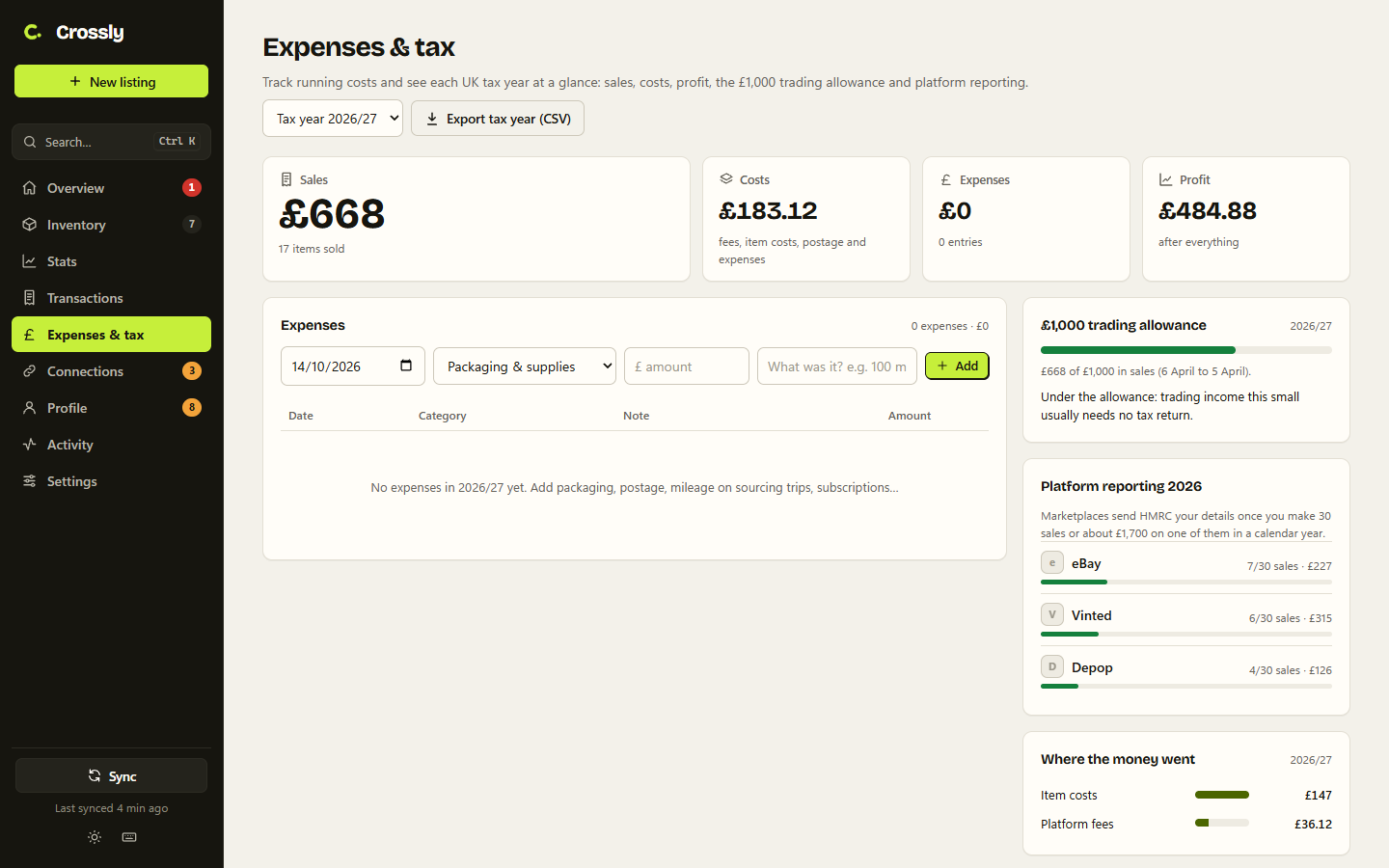
Log costs and mileage, and see each tax year at a glance: the £1,000 trading allowance and how close you are to HMRC platform reporting.
Profit & stats
Take-home after fees on every platform, sales and profit over time, best sources, best days to sell and sell-through rates.
Photo tools
Auto enhance, whiter backgrounds, square crops and a shop watermark, for one photo or all of them.
Scheduling & relisting
Schedule a drop for later or spread a batch over the day. Relist stale items as new with one click.
Listing helpers
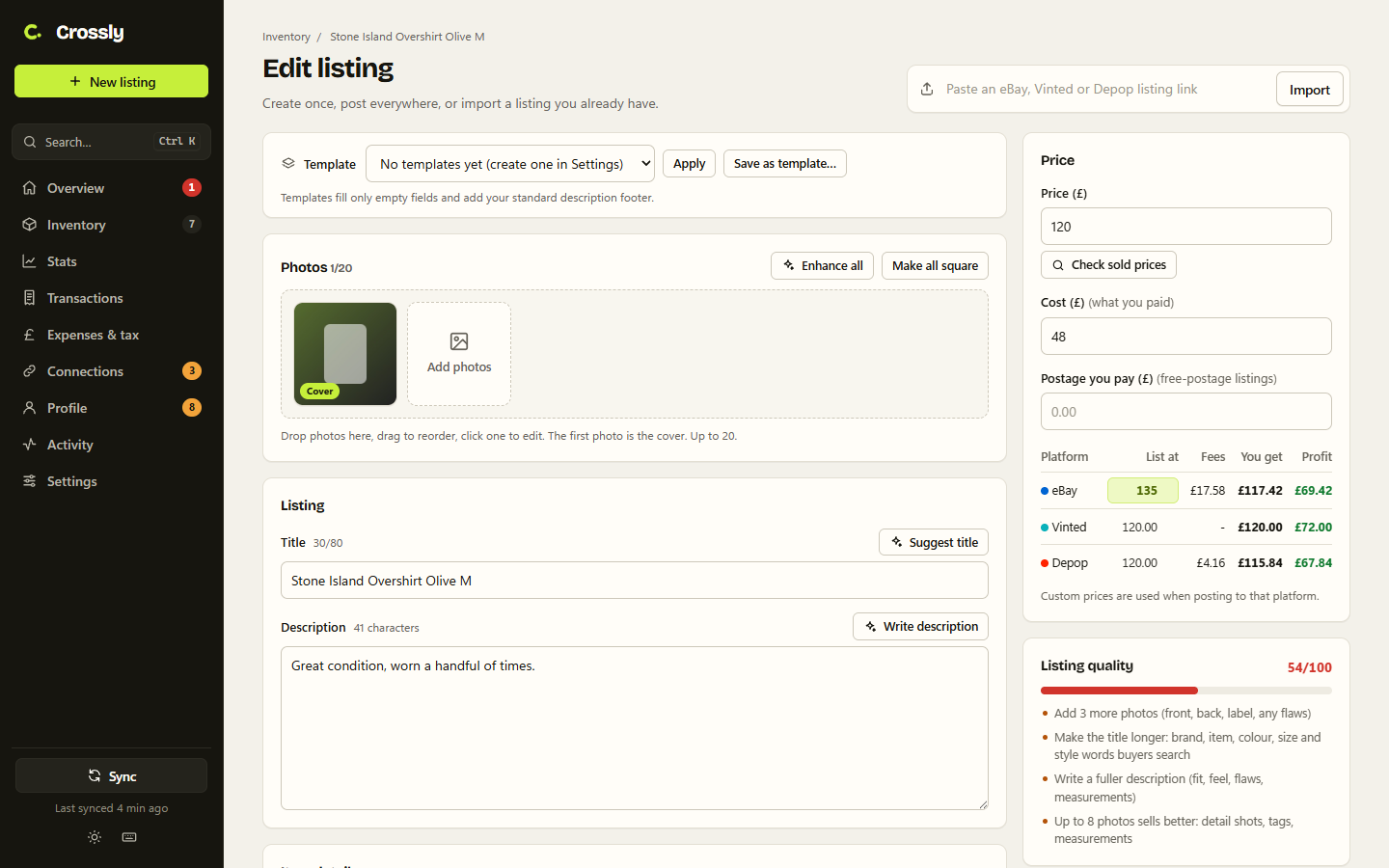
Title and description writer, templates, an eBay sold-price check, and a quality score that shows the fixes that matter most.
Inventory that keeps up
List or grid view, labels, storage locations, bulk edits, price changes, and CSV import and export.
SKUs & stock labels
Automatic SKUs and printable labels with a barcode, title, size and price, so you can find any item fast.
Per-platform pricing
Set a price for each marketplace, or a percentage to cover its fees, and see your take-home before you post.
A dashboard that does the busywork
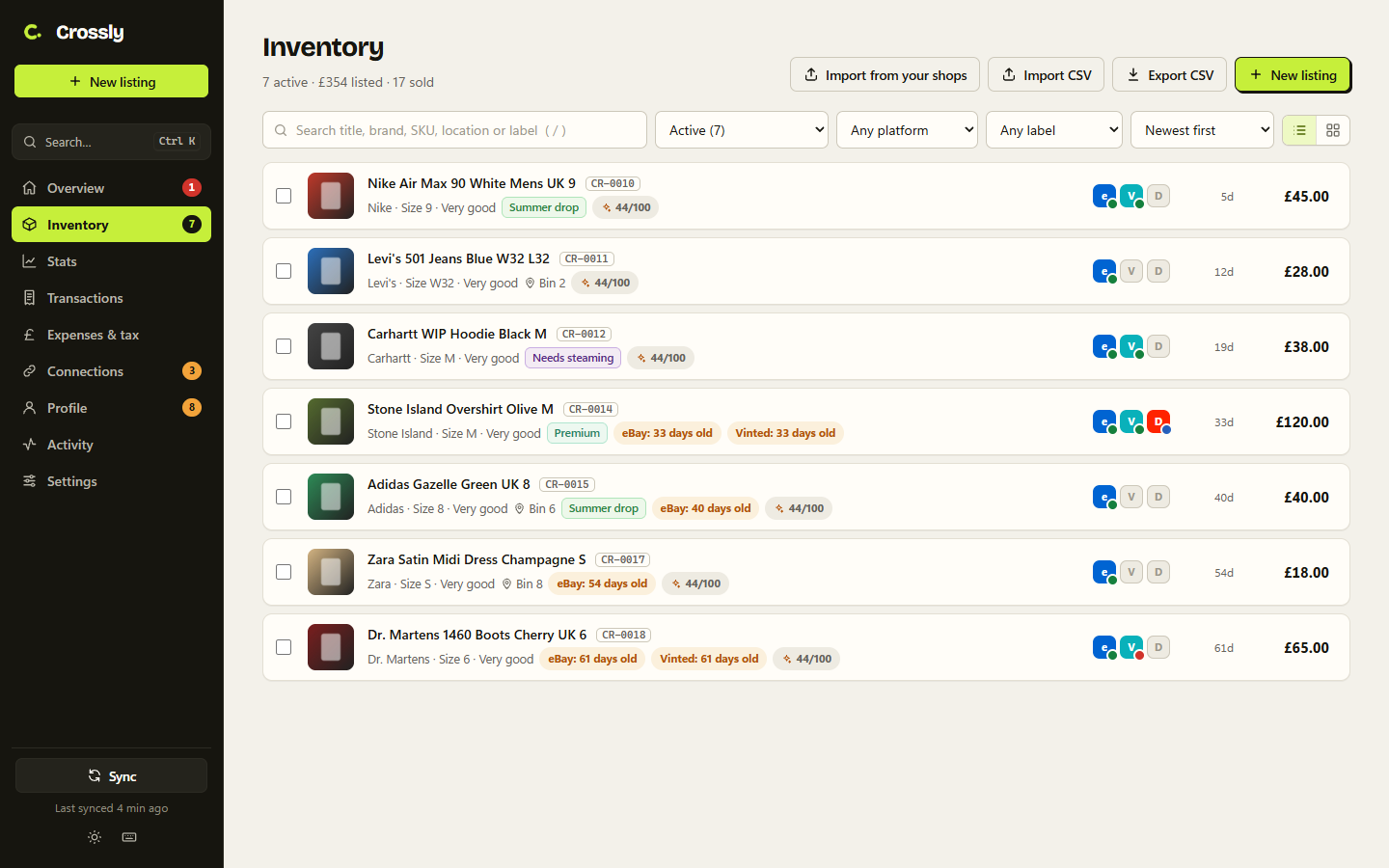
Inventory: every item, where it's live and how long it's been listed.
It knows joggers are sweatpants
Every marketplace words things differently. Crossly has studied each sell form, every category and every dropdown, so your listing lands in the right place on each site.
- Categories matched by search, with sensible fallbacks
- Sizes converted: Medium to M, UK to EU shoe sizes, size ranges and kids' ages
- Shorthand understood: BNWT, VGC, worn once
- Tells you anything it couldn't fill, and never publishes an incomplete listing
Know where you stand with HMRC
Marketplaces now report sellers to HMRC. Crossly shows how close you are on each one, and keeps the numbers you'd need anyway.
- Sales, fees, item costs, postage and expenses for each tax year (6 April to 5 April)
- The £1,000 trading allowance, and whether claiming it beats your actual costs
- Platform reporting tracker: 30 sales or about £1,700 a year on one site
- Mileage at 45p a mile, and a CSV of the whole year for your accountant
Your accounts and your data stay yours
No passwords
Crossly uses the marketplace sessions already signed in in your Chrome. It never asks for, sees or stores a marketplace password.
Data stays on your computer
Your items, photos, sales and expenses are stored in your browser. Our servers only know your email and whether your subscription is active.
Works like you do
Listings are posted from your own browser at a human pace, one form at a time, just as if you'd filled them in yourself.
Two plans. No contract.
Start small with Lite, or get everything with Full. Switch or cancel any time from your account page.
Secure checkout by Stripe. Your first payment is taken today, then monthly until you cancel.
Questions
How does the subscription work?
Subscribe with your email and a card. Pick Lite (£10 a month: 10 active listings at one time across up to 3 marketplaces) or Full (£25 a month: unlimited, every marketplace). You're charged straight away and then every month until you cancel. You can switch plans from your account page. Cancel any time from your account page and you keep access until the end of the month you've paid for.
Which browsers does it work in?
Google Chrome on Windows, Mac and Chromebook, and other Chromium browsers like Edge and Brave. It doesn't run on phones, because mobile browsers don't support extensions.
How do I install it?
Crossly is on the Chrome Web Store: press Add to Chrome, then sign in to your Crossly account when it opens. It updates itself.
Will it get my marketplace accounts banned?
Crossly fills in the same forms you would, in your own browser, one at a time on each site. It doesn't use hidden APIs or log in from servers. As with any tool, follow each marketplace's rules and don't post duplicate listings on the same site.
Does it work with my existing listings?
Yes. Find listings scans your eBay, Vinted or Depop shop and imports everything you tick, with photos, prices, SKUs and item specifics.
What does "beta" mean for the other marketplaces?
eBay, Vinted, Depop, Facebook Marketplace, Preloved, Wadded, Reluv and Bidzzy are tested end to end on real accounts: posting, recording the listing, and taking it down when it sells elsewhere. The beta marketplaces fill most of the form for you but may need a check before posting, and we improve them as their sites change.
Where is my data stored?
On your computer, in Chrome's storage for the extension. Back it up to a file from Settings at any time. We never see your items, sales or marketplace details.
Is the tax page tax advice?
No. It's a record-keeping aid that applies the published HMRC thresholds to your own figures. If you're not sure whether you're trading, check GOV.UK or ask an accountant.
How do I cancel?
Sign in to your account page and press Manage subscription. Cancelling stops future payments, and you keep access until the end of the period you've paid for.
Spend your time sourcing,
not copying listings.
Lite £10 or Full £25 a month. Cancel any time.
Get Crossly →